OpenFire probably misses security:

After some days of successfully running OpenFire including Galene I recognised a successful attack via abuse of port 8180 forcing Java to do a lot of calculations up-to 100% CPU load (of 6 cores) and opening around 20 other ports. Something like this has been reported already.

It is interesting that the Intel-Mac environment was affected, where the first OpenFire installation try happened. Instead the later used Debian12-VM seem to be not (yet) affected.

Probably the Java-17 prerequisite is problematic. Where there any tests using higher Java versions?

As port 8180 of the affected server was never exposed to the Internet, I wonder how the attack operated. Does any one have a clue?

Can you explain how you think this attack happened? What is port 8180 being used for? As far as I know, it is not related to Openfire but the Pade plugin right? and Why do you think the attack came from this port in specific?. What version of Openfire are you using?

Please provide more evidence that connects the attack to Openfire. If this is true, i am sure the Openfire team will investigate it thoroughly and fix any issues. I do know for a fact that the Openfire team takes security very seriously here.

To determine if this is a real security vulnerability in Openfire or its plugins, rather than a mistake or inexperience on the admin side, we need more details about your setup. I am not saying that is what this is, but it is a possibility.

On a side note, i do run Openfire for half a decade already, and was never “successfully attacked”.

Info like this would probably help:
Openfire version
Is your admin panel exposed to the internet?
Plugins installed
Logs indicating from where the attack came from
Was it really an attack and not maybe a bug in some code spiking the CPU usage?
What the Security audit log says? anything weird there?(you can see that via Openfire admin panel).

Hello Zoidberg, thanks for your remarks.

Today I got this difference about the Mac and Debian12 installation in my mind: During my first attempt using MacOS I installed much more plugins, what I never did for the Debian installation.

Currently used plugins are:

  • Bookmarks
  • Certificate Manager
  • Galene
  • Search
  • User Creation

Those are likely harmless.

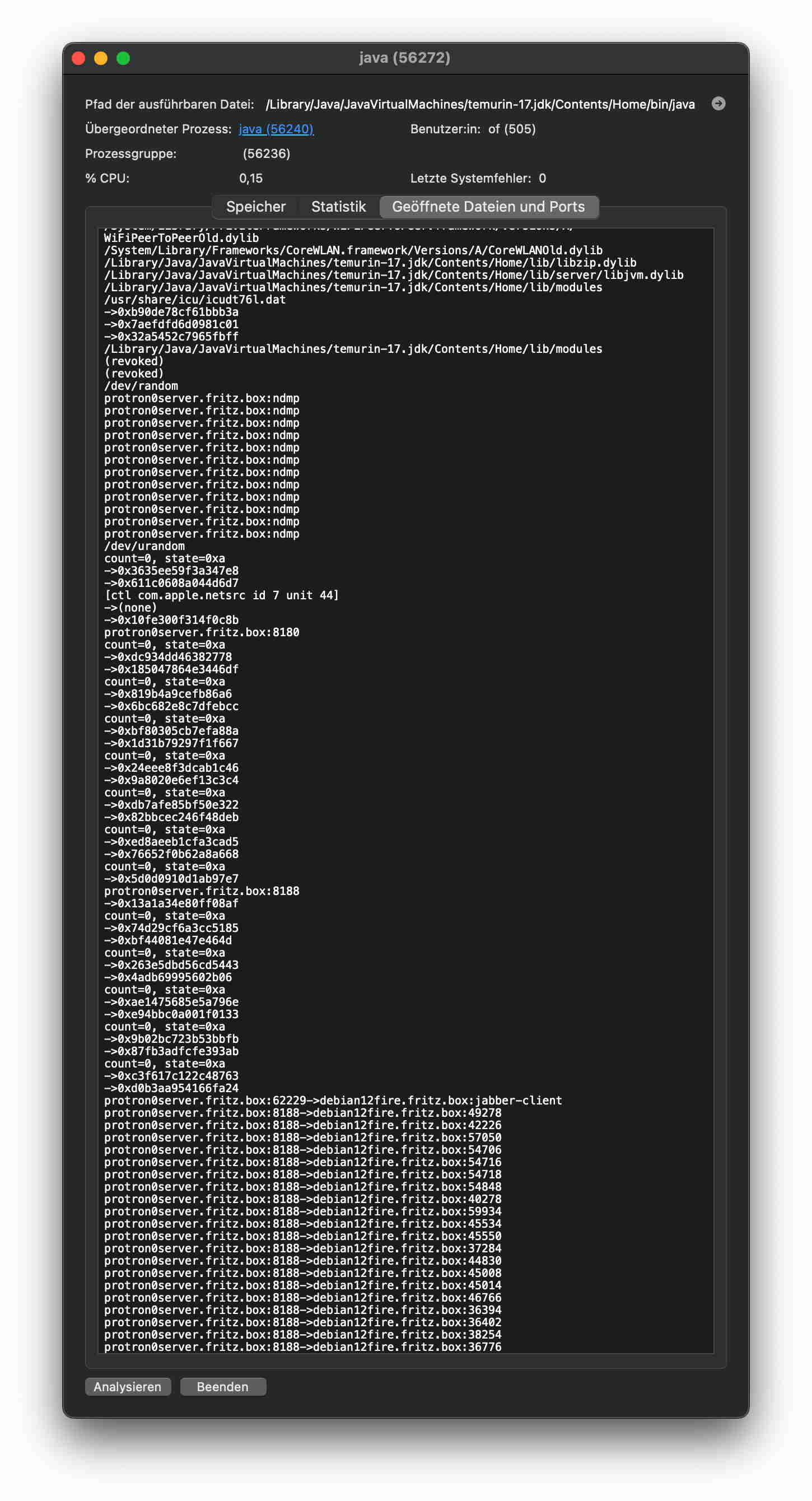
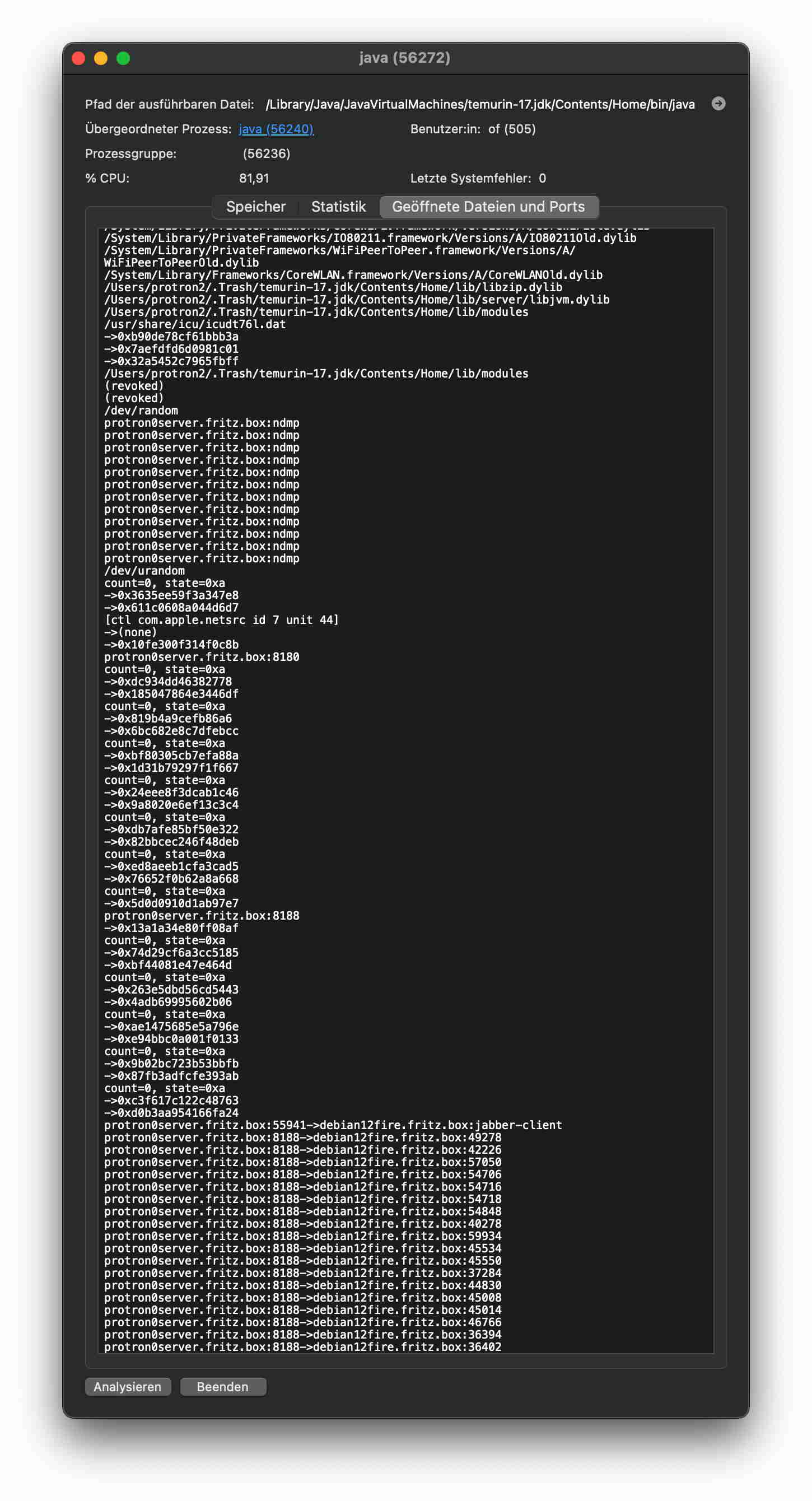
From the attack I took those pictures by an analysis via Activity Monitor.app:

Those show the symptoms of the attack. Before I already counter acted by terminating the Java process via related function of the Activity Monitor, but CPU occupation come back as picture time and CPU occupation differences show.

The opened ports are shown at the bottom. The server was never directly exposed to the Internet. The same is true for the operating port 8180, which obviously uses NAT connections to the outside.

Those facts point to OpenFire (Plugin) as attack origin:

  • The server was prepared some weeks ago only for the purpose of conference and video services.
    • The only other user process running at a different user space is SecuritySpy.app, which was in use for years without malfunction.
  • OpenFire got an own file operation space by using a mounted disk image.
    • I already wondered about the fact, that I could not dismount it really successfully, because:
      • Disk Utility.app showed it as still mounted, although it disappeared from the desktop, and
      • it re-appeared to the desktop after some time without user action.
    • I guess that the java relation to some code there forced it to stay mounted.
      • Even logout of the special user running OpenFire, did not helped.
      • Killing the process did not helped: it re-appeared.
      • Cancelling Internet access resulted to drop of CPU occupation.

Stopping the malicious code was possible by:

  • Restart of the server, what additionally got:
    • Sure dismount of the OpenFire disk image.

Although the malicious java process did not re-appeared, I dropped the Java-17 installation of the MacOS.

Because of the enclosure into the disk image more examinations of the existing configuration could be done, but the size after compression is 1GB.

Answers to your detail questions:

  • Openfire version: 5.0.1 (latest)
  • Is your admin panel exposed to the internet?: No.
  • Plugins installed:
    • Please let me postpone the answer.
    • I do not like to restart the Mac’s OpenFire environment.
    • It could be possible to list the plugins only by examination of the plugin folder.
  • Logs indicating from where the attack came from:
    • See pictures before.
    • Logs are likely still stored at the OpenFire disk image.
    • I shall take a look into it, but I think that there will be nothing found, because the malicious code used the Java console’s port 8180 to install the operative code. After done so OpenFire was not required any more for running it. In fact OpenFire on Mac was stopped for weeks ago.
  • Was it really an attack and not maybe a bug in some code spiking the CPU usage?
    • The Java operation looked very healthy and very intentionally (see pictures).
  • What the Security audit log says? anything weird there?(you can see that via Openfire admin panel).
    • This I cannot tell even in future, because I shall not start the code again.

Many thanks for your (and others) attention and support!

Best regards,

Harald

Hello Zoidberg,

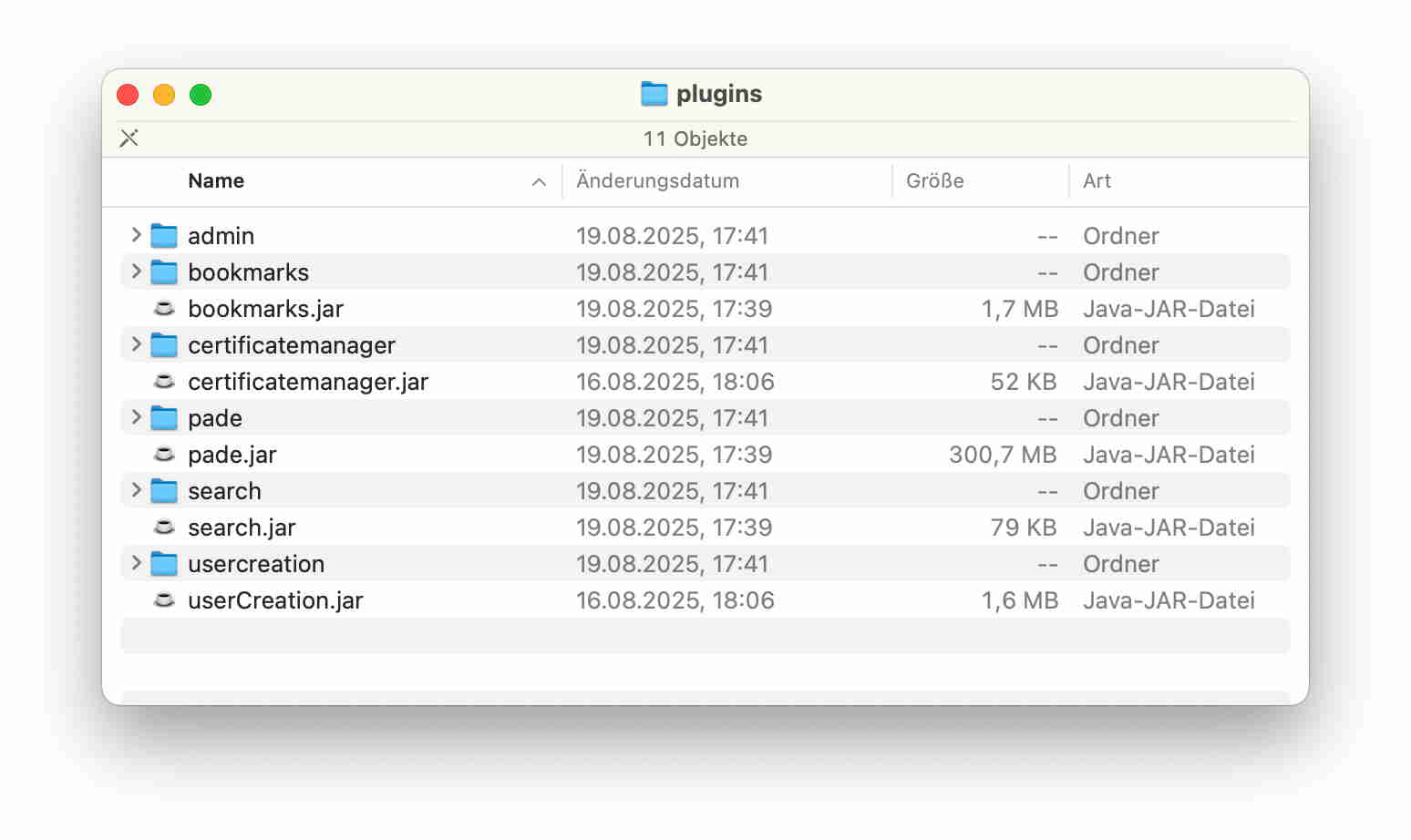
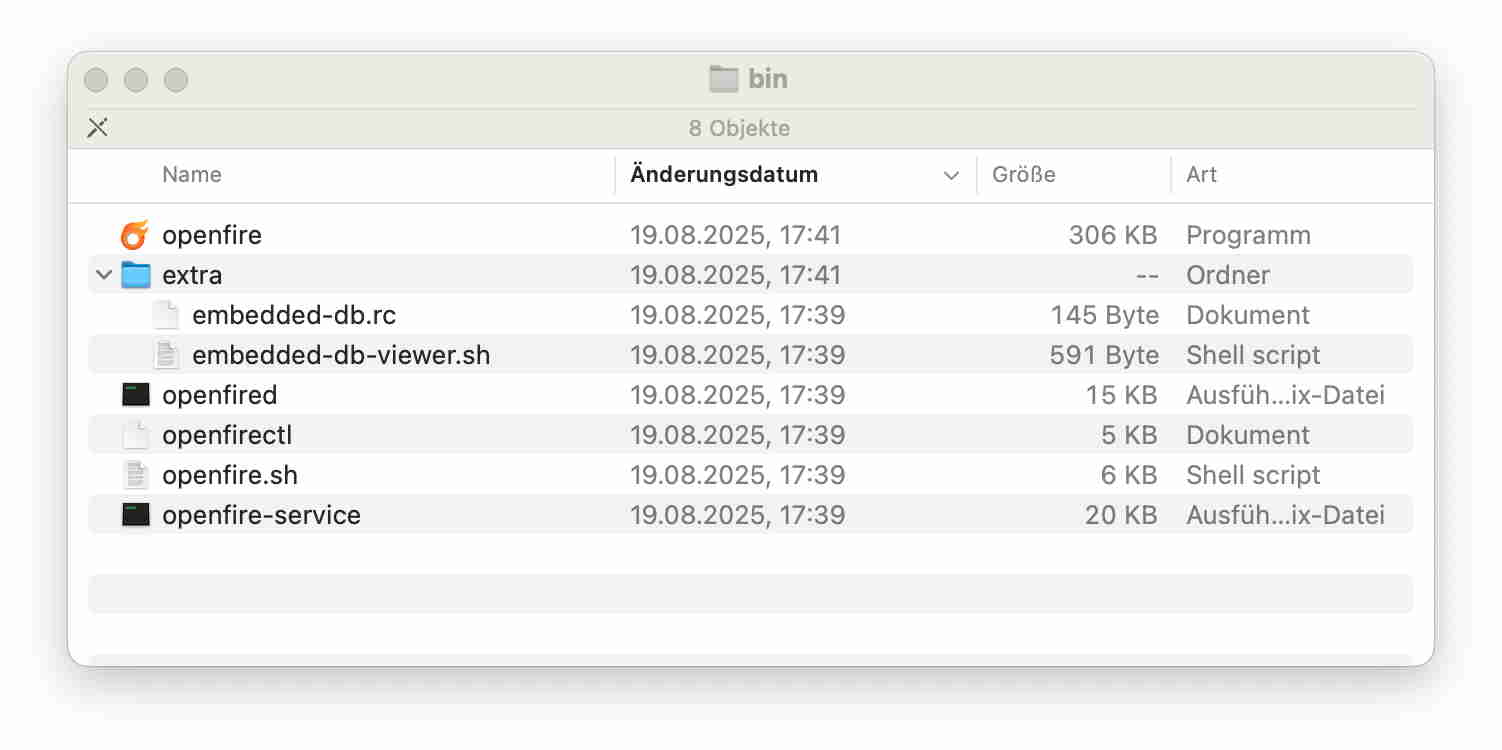
after examination of the Mac-OpenFire environment I can tell those last conditions:

Those tell about the plugin configuration and the hopefully regular difference of the “bin” folder compared to the Debian installation, where there is only the “open fire.sh” script found.

Unfortunately, I think that it does not tell too much, because as I remember, I tested at most every plugin, if it was not yet told as deprecated. If my assumption about the conquering process is correct, even such a plugin try could have installed the malicious code and left it independent of later plugin deinstallation.

Thanks for your attention and support.

Best regards,

Harald

One additional remark:

During the Mac’s OpenFire installation I found the system not useful and not as functioning as expected. Hence, this installation was never opened to the Internet even not via any of the typically required ports like 9090, 9091, 7070, 7433, 5222, 5223.

There was no other user process, which had Internet ports open for use even not the mentioned Security.Spy.app.

Hi Harald,

Thanks for reporting this. I understand that some unexpected things happened on your system (mostly unexpected CPU usage and some network connections), but I do not understand yet why you believe this was an attack or even malicious. Have you considered that this could be unexpected, inefficient, or possibly buggy code? What makes you believe that this is an attack?

The link that you provided (Port 8180 – Web Admin / Alternate HTTP | PentestPad) seems to be a very generic report on some processes that sometimes bind to TCP port 8180. There is nothing specific to Openfire in this report.

Most Openfire servers don’t make use of port 8180 at all. The only reference that I can find is the PĂ dĂ© plugin, that creates a reverse proxy on that port. This is documented in the PĂ dĂ© documentation as:

Also note that Jitsi videobridge cannot use the webrtc datachanel because of a missing binary in Windows and must use websockets for the data channel to Jitsi Meet. Port 8180 will be used by default in Openfire. A websocket proxy has been implemented in Pade to proxy from the configured Openfire websocket TLS port (7443) to 8180. This allows JVB2 to reuse the Openfire domain certificate for TLS on port 7443.

@Dele do you know of other plugins that use this particular port?

To me, it is not clear that an attack or a security vulnerability is being exploited, based on what I’ve seen so far. It is worthwhile to investigate further. Here are some suggestions for next steps that you could take. Out of an abundance of caution, these steps have been written as if there indeed something malicious going on. It’s better to be safe than sorry.

Forensic checklist

Do these now or collect artifacts before messing with the host further.

Important: if you want to do forensic analysis, avoid restarting or re-starting the service until you’ve collected artifacts - you already restarted once which cleared the running evidence. If you have a disk image copy (1GB compressed mentioned), preserve it - treat it as an image to be analyzed offline.

Immediate containment

  • Isolate the affected host from the network (unplug or block all outbound/inbound traffic in firewall) but don’t power it off.
  • Make a forensic copy of the Openfire disk image and the whole server disk (preserve the 1GB bundle you made). Keep checksums.
  • Rotate any credentials that may have been exposed (admin accounts, keys, certs).

Artifact collection

  • Collect Openfire logs: <openfire_home>/logs/ (admin, error, access, http-bind logs) - these can show inbound requests and timestamps.
  • Collect plugin folder and plugin jars: <openfire_home>/plugins/ - preserve timestamps and file contents.
  • Check file timestamps and recently modified files across the system (find by ‘mtime’).
  • From a running process (if available), gather jstack/jmap/thread dumps and lsof -p <java-pid> to see which jars/classes are loaded and which sockets bound.

What to check in logs / artifacts

  • Search access logs for requests to :8180/ or unusual POSTs, or for plugin endpoints.
  • Check plugin folder for unknown jars or modified jars, and any plugin.xml or web resources that could be a webshell.
  • Look for evidence of plugin installation timestamps or plugin manager activity around the compromise time.

Network / process evidence

  • Run netstat -plant or ss -lp on a live system (or from recent logs) to confirm which process previously bound 8180 and its command line (jvm args). Use ps aux | grep java to get the exact Java process and its -jar/classpath. This tells you if the process was Openfire or another Java binary.
  • If you can run strings on suspicious jars, look for webshell patterns (e.g., code that writes files, executes commands, opens sockets).

Hi Guus,

many thanks for your big counter activity recipe. That may help surely, but takes time. For your top questions “Have you considered that this could be unexpected, inefficient, or possibly buggy code? What makes you believe that this is an attack?” I like to answer immediately about facts that indicate it:

  • If it is a bug, there should be some known code, which does not operate as expected, is not it?
    • But everything I knew was operating as expected.
    • Exception was a file sharing operation, which stopped transfer. By checking the reason the CPU load came into view, what did not left enough processing time for the target machine.
    • Even OpenFire was not operating during that time at the Mac environment.
    • OpenFire was operating at the Debian-VM, but well and well until now.
  • Would yo expect that a bug opens a lot of NAT ports starting from a single internal port (8180)?
    • Probably, Pade did in a way as your research revealed.
      • Would you expect that Pade+Java are able to decouple this from Pade itself, as Pade is not any more operating as OpenFire is, too?
        • If not, and if this would be simply a bug of not closed ports, would you expect that the left ports continue Internet communication?
          • Please consider that cutting the Internet (via Fritz!Box router) reduced the CPU load from nearly 100% to 2%.
  • If a general vulnerability of Java-17 is already reported, which tells same symptoms, in this case the port number and typical use case of stealing of processor time e. g. for crypto mining, would you still assume a bug?
  • Did I do anything wrong?
    • Installing the Open Source software: OpenFire with plugins and Spark.app is risky, because not processed by Apple and not available via the AppStore.
    • Installers for the Adoptium Temurin Java versions do not result to OS complaining about problematic source and are likely certified by Apple.
    • UTM as virtual machine environment was the only additional app installation during that time and is available via the AppStore.

Final estimation again: Not a bug! Surely an attack!

Sorry, for this news.

The good news is rather that there are no other indications for problems right now and the attack was likely defeated.

Best regards

Harald

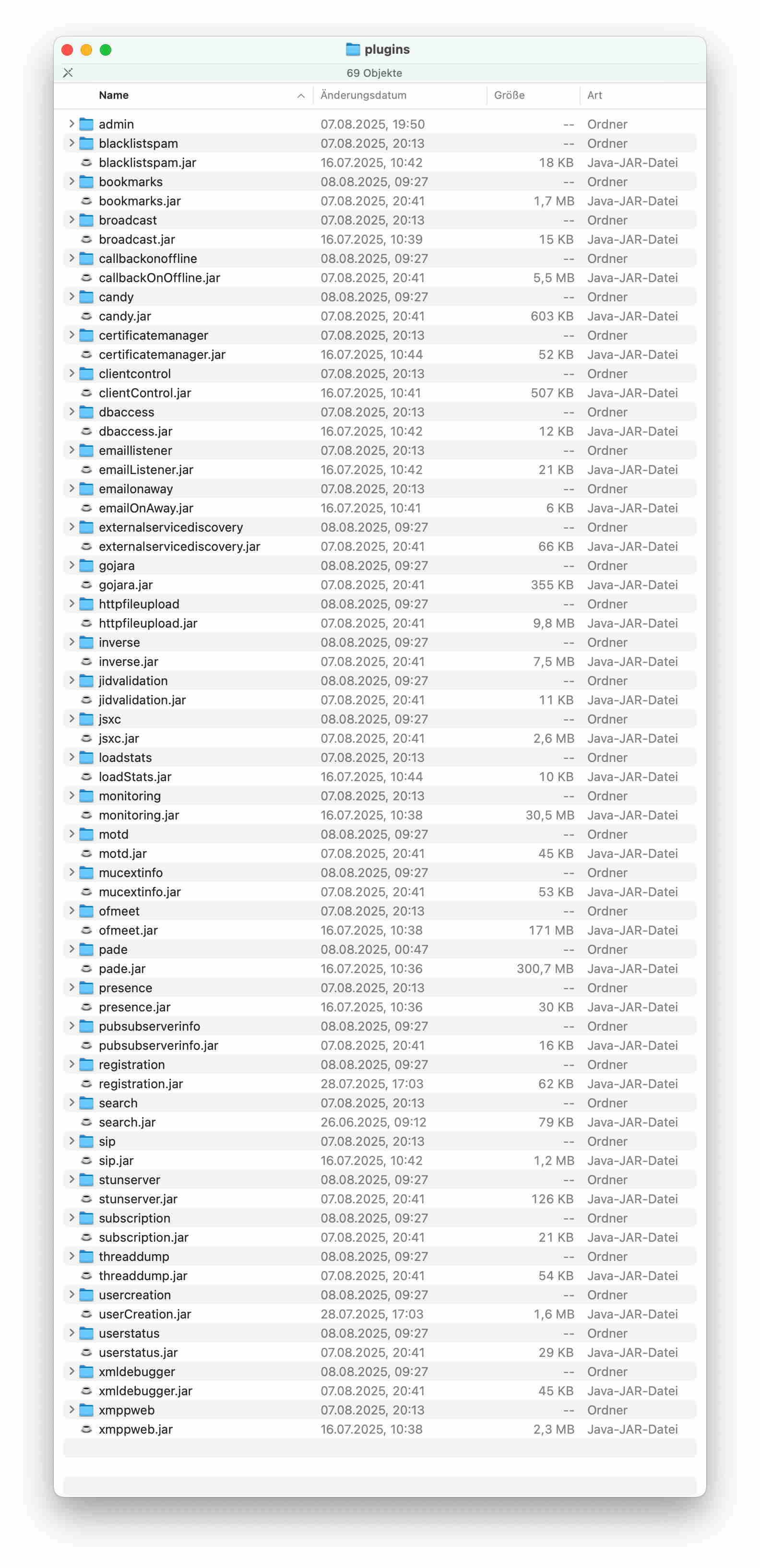
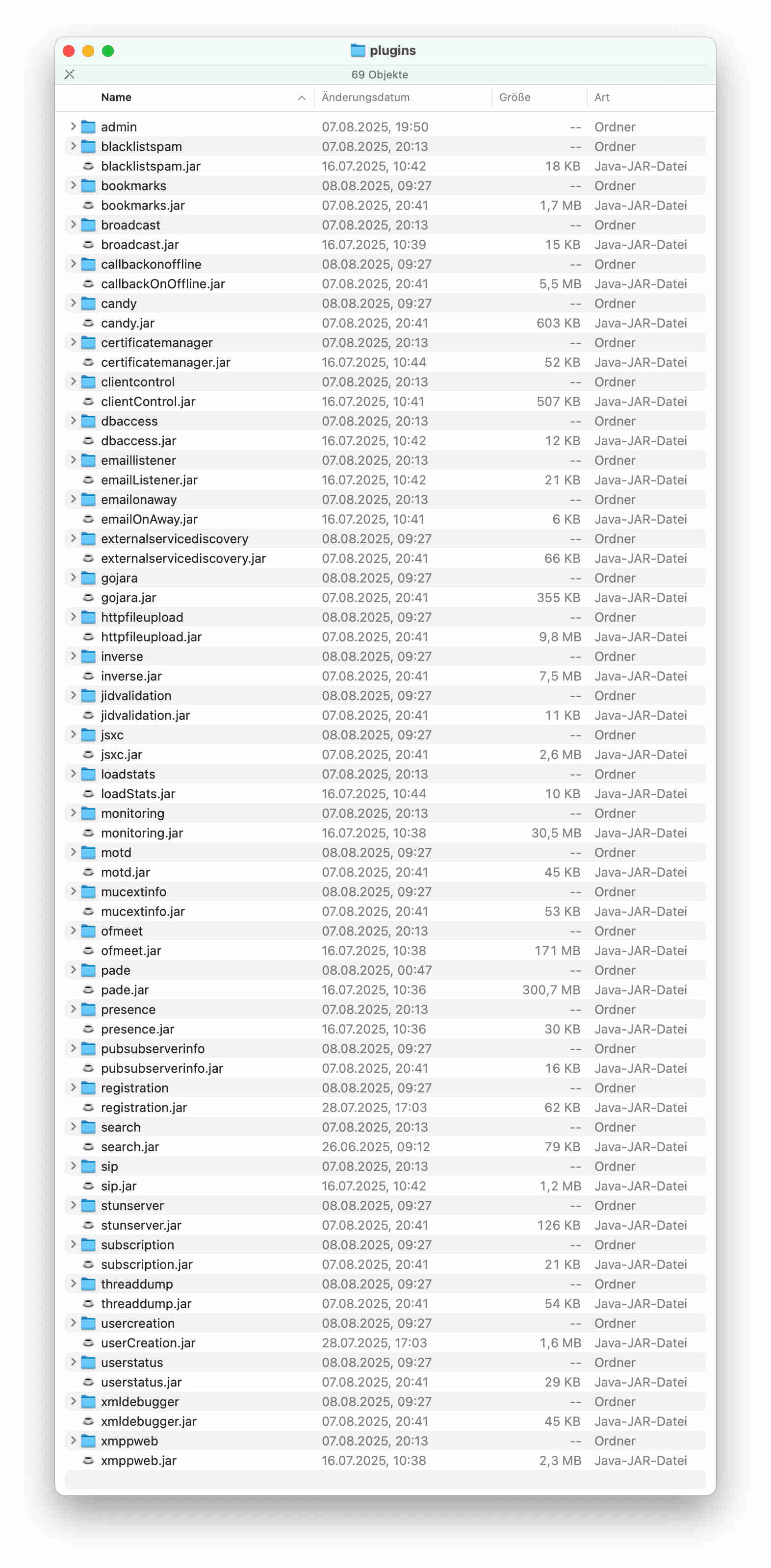
More plugin lists can be provided, which have been taken from OpenFire disk image copies, which I took about installations, which were not functioning well:

From the big amount one cannot tell about the origin as well as from the well operating few amount.

More research results:

The Mac’s OpenFire installs a LauchDaemon, which is named in my case: “com.install4j.6886-9911-0474-3571.openfire-service.plist”, which has this content:

<?xml version="1.0" encoding="UTF-8"?> Label com.install4j.6886-9911-0474-3571.openfire-service ProgramArguments /Volumes/OpenFire/bin/openfire-service start-launchd KeepAlive RunAtLoad

“openfire-service” is an executable found at the “bin” folder of the OpenFire installation.

Whether this one was running during time of the bug/attack is unclear, but if it’s continued run after quitting the OpenFire.app would be a bug and the outgoing Internet connections would not be an attack, then this executable would be likely the origin.

Thanks again. I’m afraid that I have trouble following your arguments: the long, nested conditional sentences make it harder to follow the logic.

From what you’re telling, I’m far from convinced that this behavior is caused by ‘an attack’. I’m certainly not ruling it out, but:

  • there is no direct proof of malicious code execution shown (e.g., logs, malware sample).
  • the conclusion relies heavily on circumstantial evidence and inference.
  • some statements assume causation without ruling out alternative explanations.

I believe these are your main concerns:

  1. There is a correlation with known vulnerability, mostly based on usage of a port number (8180).
  2. CPU load drop after disconnecting internet.
  3. There’s unexpected behavior patterns (a large number of NAT ports opened from a single internal port).

As for item 1: the vulnerability that was in the link has absolutely nothing to do with Openfire. The only relation between that text and Openfire is that it uses the same port. That can easily be explained by a coincidence.

Items 2 and 3 can have various causes. It could simply be a proxy process (such as the one provided by Pade) that was running/serving users while you didn’t expect it to be.

Again, I’m not at all ruling out that there is a potential issue here, but from the data that is provided, I don’t think that this can be concluded at all. Please try to find concrete evidence, such as what I listed under ‘artifact collection’ in my previous message.

Hi Guus,

could you point me to the source code and probably other documents of the openfire-service executable? It is difficult to locate it in the big amount of branches.

Many thanks!

The executable openfire-service is not part of Openfire’s source code. Instead, it is generated by an application called Install4J that we use to create Openfire installers and executables. The configuration that we use for Install4j is part of the source code. You can find it here: Openfire/distribution/src/installer at main · igniterealtime/Openfire · GitHub

What is the use of this executable, for MacOS or asked the other way around, why it is not used for the Linux distribution?

To be honest: I don’t exactly know. Openfire has about 20 years of history. In that time, we have had various ways to launch Openfire, on many different operating systems, using a combination of various installers, executables and scripts. I’m not sure how we ended up exactly here: a lot of it is based on decisions made a long, long time ago.

As an aside: over the past few months, there has been an effort to align things better with more modern standards (hat-tip at @stokito). However, we’ve also found that even small changes often break something for some users that have grown to depend on a very specific (and sometimes, old, or even outdated) script or executable. That makes us be conservative in applying changes.

1 Like

To be honest: Unknow code in any system can have catastrophic effects, whether used intentionally as an attack or unintentionally as a bug. Such findings elsewhere were part of my career. From the safety point of view it would be a no go.

In principle I could try to remove it and look what happens. But not today anymore.

Another interesting aspect appeared by considering my test run for the MacARM version:

This needed to be done on another machine to have the ARM processor set in use. The OpenFire environment was provided via a disk image as done before for the Intel version. But at this different ARM machine I did not found an installed LaunchDaemon. Curious?

After some consideration it is probably not a real difference in function of the two versions, because the server uses Dortania’s OpenCore Patcher to run Sequoia. This results to somehow reduced security properties. Otherwise the patches could not take effect. As a result the LaunchDaemon installation attempt at the Intel machine could get success, where instead the same attempt at the ARM machine might fail.

I must admit that I am having trouble understanding what you’re trying to report. Is this related to the security issue that you are reporting in this thread? If not, then it is probably best to split off texts in new topics. That will help us to keep each discussion focused.

1 Like

The focus here should be clear: It is about the LaunchDaemon, which has the possibility to run code although the user assumes that OpenFire is stopped. We should clarify why and how such a daemon comes in. The ARM example tells, that it is not needed. You are asking for attack indications. Having an unneeded daemon running is again one adding to the four others above.

Dear OpenFire developers.

please start clearing up, whether there is really unknown code in the project or not.

Please list all the parts you know with the relation to the open source code.

Please check all questionable items, like the MacOS installer for code, which is not open source. Unknow code already has this property, you know.

Meanwhile I ask you to put the OpenFire project into quarantine and stop user downloads.

Please estimate a time for the check efforts.

Please tell, how I can help by pointing me to critical parts, which need clarification from your point of view.

Sorry to say, but if your answers, activity or time schedule are not satisfying I need to notify the German BSI (Bundesamt fĂŒr Sicherheit in der Informationstechnik). For your information: OpenFire ist currently not listed as problematic. Java instead has a lot of listed problems.

Such efforts are problematic in the low or even zero payed open source community, I know. On the other hand the product is worth to stay used legally. Hence, avoiding any illegal possibilities should be worth the effort, too. To be honest: I would like to continue its use.

Please apologise,

Harald

This thread makes for an entertaining read, but I’m yet to see a security issue. You’ve said about high CPU, but don’t know the cause. You’ve talked about activity on ports, but don’t know the cause, and to my knowledge, you haven’t properly established a fully remote source for these.

You’ve refuted the existence of a bug, because a bug would be known

>If it is a bug, there should be some known code, which does not operate as expected

That’s absolutely not how a bug works. Your knowledge (or anyone else’s knowledge) of the existence of a bug doesn’t affect whether it exists. All bugs exist before they are known, then they are discovered, reported, investigated and fixed. That’s the natural lifecycle. That some functions operate as you expect doesn’t preclude the existence of a bug whatsoever.

Openfire is a server, of course it has a LaunchDaemon. That’s typical to macOS usage. Unsure whether macOS has other routes, but this is common practice. Of course it’s different to Linux and Windows - they’re different OSes, and so require different bundling and tooling to perform the same role. If you don’t want the install4j generated bits, download the tar.gz and run Openfire manually. Or fork the project and make the changes you feel are appropriate. If you find a way to contribute a FOSS installer and launch mechanism for Openfire on macOS, we’d be really grateful!

No, we’re not taking an open source project down based on what amounts to a hunch. And if you’ve got any experience with open source you’ll know that even if we deleted the repository, all of the forks and forks-of-forks would remain anyway.

I’m not sure what illegal thing it is you believe has occurred, but
 If you’re keen to notify authorities that an open-source project that you downloaded for free, whose source is available for free, and whose project members answered lots of your questions for free, weren’t able to satisfactorily answer more vague questions for free. I look forward to them contacting me. My email address is available on my git commits.
3 Likes