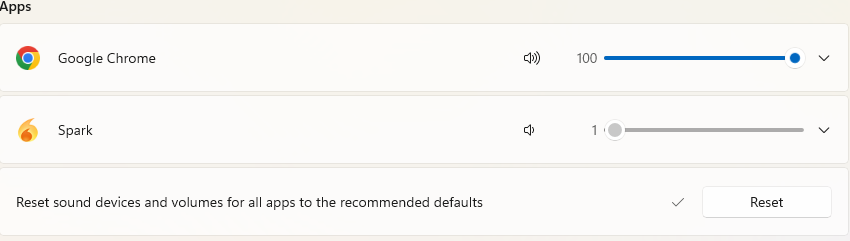
Interesting issue on my computer. Earlier last week, when I would receive a new message, I would get a sound out of Spark. Now, when a new message comes in, the Task Bar Icon Flashes as it should, but there is no sound. I can go to the folder where the sound files are stored and play them from there just fine. When I Open Windows Sound Mixer, Spark is listed but is greyed out and cannot be adjusted. Every other open application is listed and can be adjusted.
I am just wondering if anyone else has had this issue and knows what might be going on or how to correct it. I am thinking about uninstalling Spark, removing the AppData/Roaming and Program Files folders completely and reinstalling. But was wondering if there was another solution before doing that.