On mobile clients using the Conversations app, users can no longer send files to each other after updating Openfire to the latest version.I’ve already tried the following solutions, but the file transfer issue still persists:
I deleted the certificate in Openfire, restarted the server, and created a new certificate.
Users logged out of their accounts, uninstalled the Conversations app, reinstalled it, and logged back in.
I reviewed all settings and everything appears to be configured correctly.
Sorry to hear you’re running into this. Let’s try to get to the bottom of it.
We can’t diagnose this without specifics. Please post:
your exact Openfire version,
the HTTP File Upload plugin version,
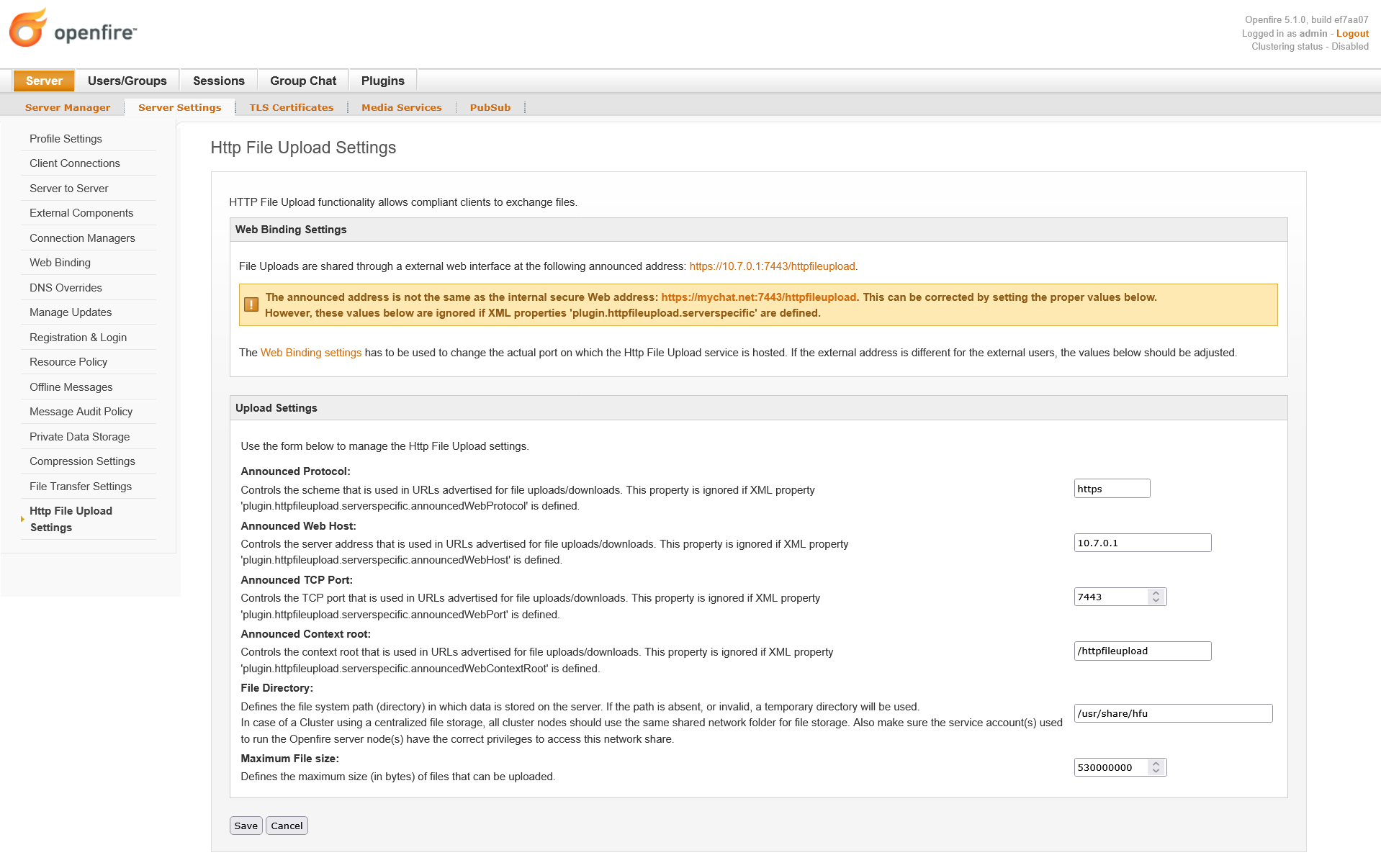
what the HTTP File Upload Settings page says,
and the log lines from a failed transfer.
Conversations sends files using Openfire’s HTTP File Upload plugin, over a separate HTTPS connection, so chat can work fine while files silently fail. “Everything looks configured correctly” usually means the broken piece is in that upload path, which isn’t visible on the screens you’ve been checking.
Please do these in order and report back what you find:
Admin console → Plugins
Is “HTTP File Upload” still listed and enabled after the upgrade? Does it report that an update is available? If so, try to update it.
Server → Server Settings → Web Binding
Is this enabled? The plugin needs it.
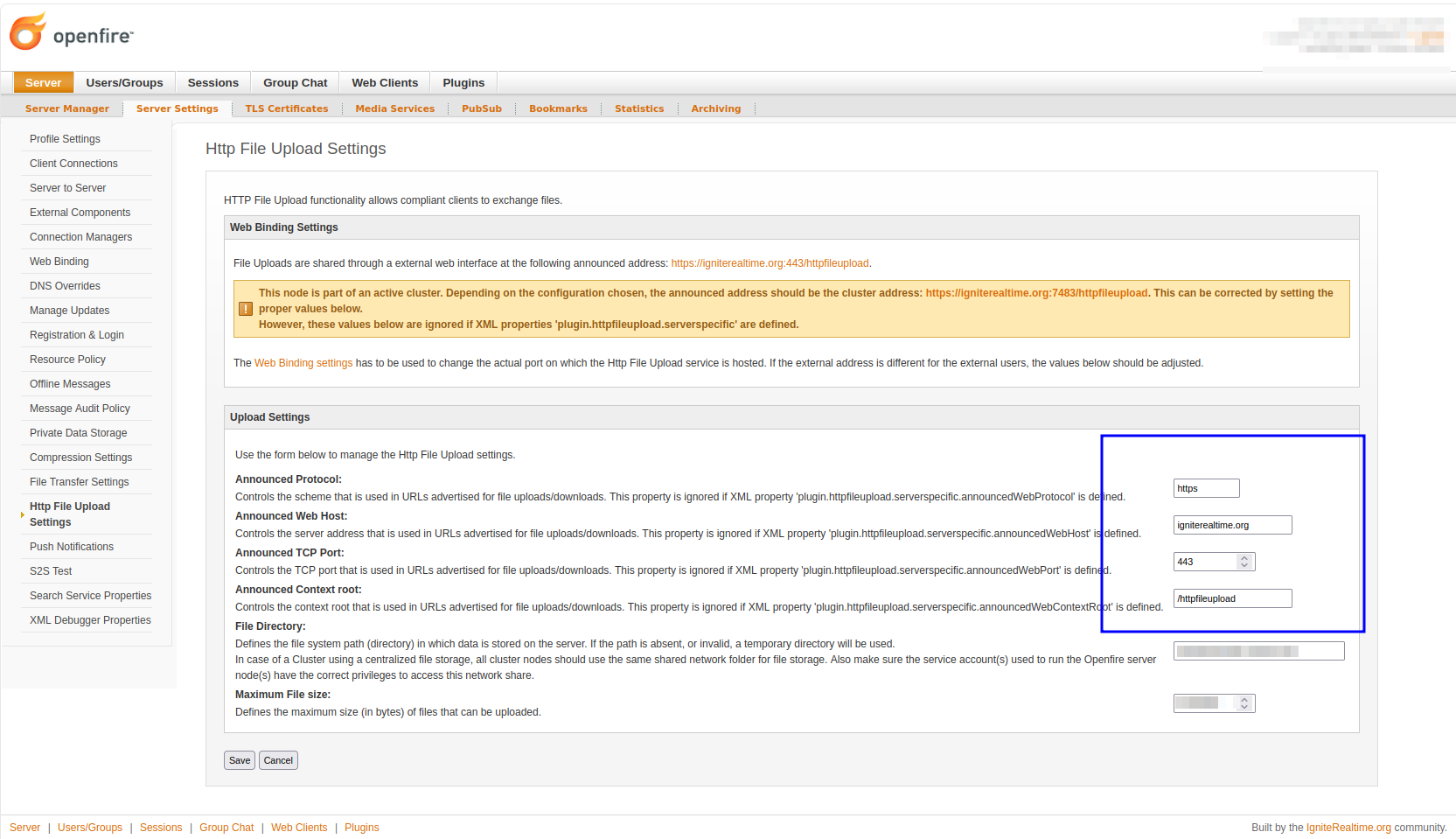
Server → Server Settings → HTTP File Upload Settings
This page compares the announced URL with the actual URL. Does it report a mismatch or warning?
Tail logs/openfire.log while a user tries to send a file,
See if you find any relevant messages. Try enabling the log level to ‘trace’ logging for more details. Ccopy the lines here (you’re looking for tries to obtain slot / obtained slot for ...).
I checked all the steps you mentioned and everything was set correctly. Then I tried sending a file from the phone and I’m attaching the log below.Thank you for your help.
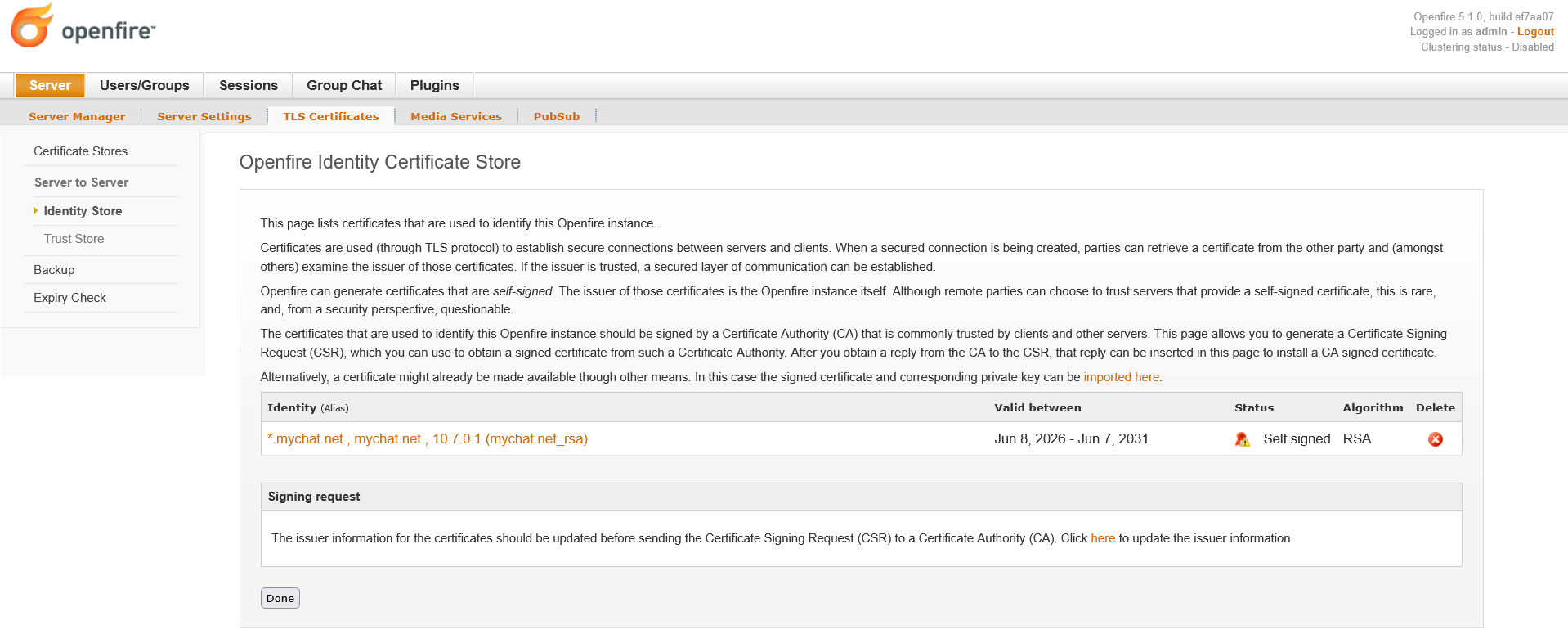
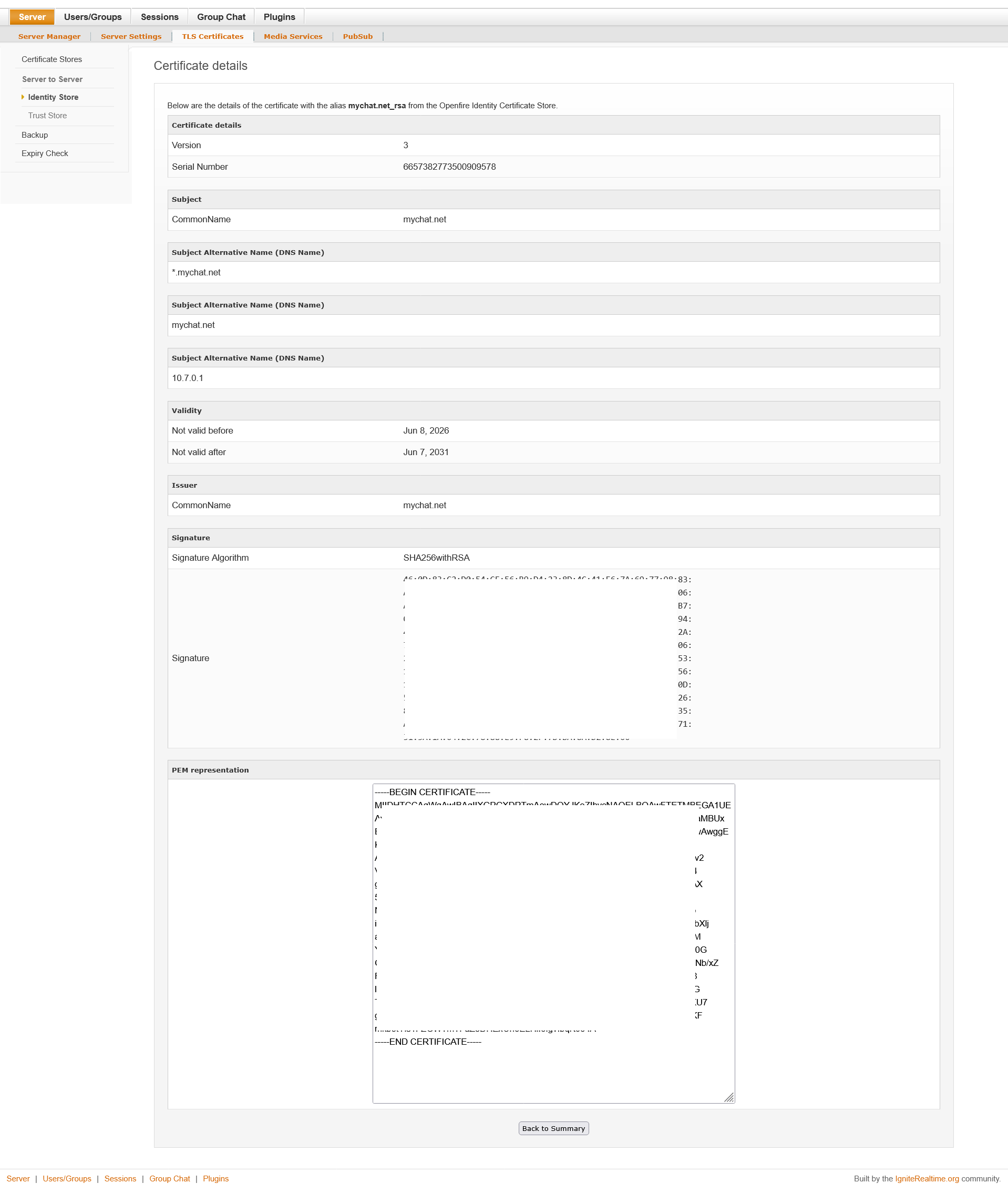
I am using the self-signed certificate generated by Openfire itself.This setup had been working without any issues for almost three years, and I had no problems with sending or receiving files. The issue started only after updating Openfire.
I see that the URL that the client is getting for the file upload/download uses this format:
https://10.7.0.1:7443/httpfileupload/
Notably, this uses an IP address. As the client is also using HTTPS, the certificate for this URL will be validated. Unless the IP address is in the certificate, this validation will probably fail.
I suspect that this IP address is what was used for the fqdn setting of Openfire (where we expect a fully qualified domain name, not an IP address). You can override this for HTTP File Upload in the admin console, on page Server > Server Settings > Http File Upload Settings
Change the ‘announce host’ to something that matches the host name of your server. The value must both be part of your certificate, and be usable as a URL (by the clients) to reach your server.
Instant update: I see now that your self-signed certificate does include the IP address. I would expect that to be ‘enough’. Hmm.
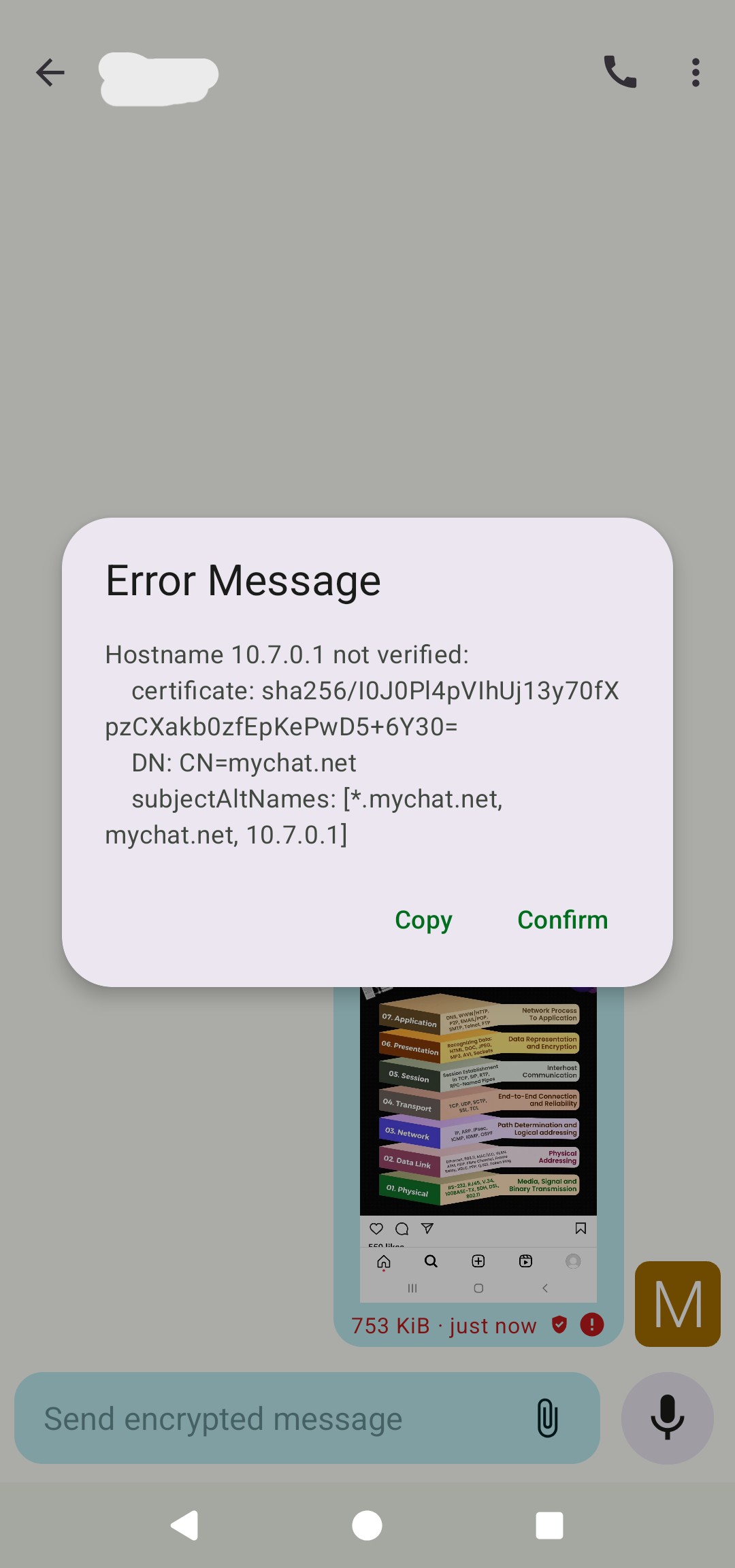
Is there an exact error message that clients get when they try to upload a file? Have you tried a different client, that may also fail, but give more descriptive errors?
I installed Openfire on my server. I also installed WireGuard VPN on the same server. I have required users to:
Use the Conversations app to connect to Openfire.
First connect to the server through the WireGuard app before they can connect to Openfire.
Because of this, the server IP is 10.7.0.1. This means users are actually inside a private network.This problem did not exist before I updated Openfire to the latest version. Users could easily send and receive files to each other.If you need any more information,
please let me know so we can solve the problem.
Also, I have attached the screenshot of the error.
I cannot immediately spot the problem here. I wonder if usage of the IP address (as opposed to a domain name) confuses things.
Assuming that you have network configuration set up so that the domain name resolves to the private IP address for your users, try replacing the IP address with a network name like I suggested in Problem with file sharing - #8 by guus
By default, these are the current settings on my Openfire server. However, when I change the Announced Web Host to mychat.net, the server starts trying to reach the real mychat.net address on the internet!!!
So you’re using a domain name, but that domain name must not be resolved to prevent data from reaching the public internet? That’s a rather fragile network setup. Maybe you can configure your network/VPN so that lookups for that domain name always resolve to the private IP address for the relevant devices?
In any case, it would be interesting to know if, even if the traffic flows through a path that you do not want, it resolves the issue. That would tell us if the problem indeed relates to usage if IP addresses instead of domain names.
I’ve been talking to the author of the Conversations client. They say that very recently, Conversations has received an update that may have made the certificate parsing a bit more stricter.
Can you verify if the problem indeed is caused by an Openfire upgrade? There is a chance that coincidentally, Conversations was (automatically) updated at the same time.
Then there is a not-to-be-ruled-out chance that the problem is caused by the Conversations upgrade, not Openfire.
Try testing if the new Conversations works with the old version of Openfire.
Also, try what I suggested above: make your devices use domain names (not IP addresses) only, by improving your network configuration. That will in any case be a less fragile configuration.
The new Conversations app works with the new version of Openfire. This means users can send text messages to each other and can also make voice and video calls. However, they only face this issue when sending files.
Since other users might be experiencing the same problem, please suggest to the Conversations developers that they fix this issue in the next app update.
Also, regarding the network settings you mentioned in the previous post, if you have any solutions, please let me know so I can apply them on the server. Hopefully, it will resolve my problem.
At this point, I don’t think we have enough evidence to conclude that Openfire is the source of the problem.
The Openfire logs consistently show that HTTP File Upload is functioning as expected: the client requests a slot, and Openfire successfully issues one. That means the XEP-0363 plugin appears to be doing its job.
What’s still missing is evidence of what happens next. If the client is unable to use the provided upload URL, we need to understand why. So far, we’ve only seen a generic failure message from Conversations, which doesn’t tell us whether the upload is rejected because of certificate validation, network connectivity, or something else.
As mentioned earlier, there are two tests that would significantly narrow this down:
Test the same version of Conversations against an older Openfire version.
Test a different XMPP client against the current Openfire installation.
These tests will tell us whether the change in behaviour follows the server or the client. Without that information, we’re mostly speculating.
If it turns out that only Conversations is affected, then I’d encourage investigating this with the Conversations developers directly. They are in the best position to explain whether a recent change in certificate or HTTPS validation is intentional, and if so, what configuration they expect from servers. If Conversations has become stricter, that does not necessarily indicate a bug in either application - it may simply mean that the previous configuration is no longer considered acceptable.
Please let us know the outcome of those tests. They will provide much more useful information than continuing to adjust server settings without knowing where the failure originates.